
01
Improve Your AI Skills
Learn how to communicate with AI clearly, provide useful context, refine prompts, and guide AI responses toward a specific task.
Learn how to use Claude AI for prompt engineering, content creation, coding, research, automation, and real-world AI workflows with practical, mentor-guided training.
Build useful Claude AI skills through hands-on practice, guided projects, and industry-focused learning. This training is designed for beginners, students, developers, working professionals, and anyone who wants to use Claude effectively in real work.
Our Claude AI Training in Hyderabad is designed to help you understand Claude AI and use it confidently for real-world tasks. Instead of learning only theory, you will practice prompts, AI workflows, coding, research, content tasks, and project-based use cases step by step.
Start with the Basics
Understand Claude AI, how it works, where it can help, and how to write clear instructions for better results. Beginners can start without needing advanced AI knowledge.
Learn how to use Claude for writing, summarizing, research, analysis, brainstorming, documentation, and other common professional tasks.
Explore practical AI-assisted coding workflows, code understanding, debugging, documentation, and developer-focused use cases.
Apply the concepts through guided exercises and practical projects so that you can understand how Claude AI skills can be used beyond simple chat conversations.
A structured learning experience focused on understanding, practice, and real-world application.
Students · Beginners · Developers · Working Professionals · AI Enthusiasts

Book Your Free Demo Class
Talk to our course team and explore the right Generative AI learning path.
Claude AI is an artificial intelligence assistant developed by Anthropic. It can help people understand information, write and improve content, analyze information, work with code, answer questions, and complete many other language-based tasks.
Claude can be used as an AI assistant for learning, writing, research, analysis, coding, documentation, brainstorming, and other professional workflows. The way you give instructions matters, so learning how to write clear prompts and structure tasks is an important part of using Claude effectively.
Claude is designed to understand natural-language instructions and respond to the context provided by the user. This makes it useful for people who want to work with AI without starting every task from a complex technical process.
For example, a learner can ask Claude to explain a difficult concept in simple language, while a developer can use it for coding-related tasks. A working professional may use Claude to organize information, create drafts, summarize material, or improve a workflow.
The quality of the result depends on the task, instructions, context, and information provided. That is why practical Claude AI training focuses not only on knowing the tool, but also on learning how to communicate with it properly.
Create, rewrite, summarize, and improve written content.
Organize information, analyze provided material, and explore ideas with structured prompts.
Work with code, understand technical content, and support development workflows.
Break down concepts, ask questions, compare ideas, and learn step by step.
Use AI to support documentation, planning, communication, and repetitive knowledge tasks.
Important: Claude AI can support many tasks, but its responses should still be reviewed for accuracy and suitability before being used for important professional, business, technical, or other high-impact decisions.
AI is becoming part of everyday work across technology, content, research, business, and software development. Learning Claude AI can help you understand how to work with modern AI tools and use them more effectively in practical situations.
Learn how to communicate with AI clearly, provide useful context, refine prompts, and guide AI responses toward a specific task.
Use Claude to support tasks such as drafting, summarizing, organizing information, brainstorming, analysis, and documentation.
Developers can explore AI-assisted coding workflows, code explanation, debugging support, documentation, and other development-related tasks.
Go beyond simple questions and learn how to structure repeatable AI workflows for different professional and project requirements.
Prompting, task breakdown, context management, AI-assisted problem solving, and workflow thinking can be useful across different roles and industries.
Build practical experience with AI-assisted tasks and projects that can strengthen your understanding of how AI fits into modern professional workflows.
Knowing an AI tool is only the starting point. Good results often depend on how clearly you define the task, provide context, check the response, and improve the workflow. Our training focuses on these practical skills so learners can understand the process instead of simply copying prompts.
Explore the Claude AI course curriculum and practical topics covered during the training.
Claude AI training is suitable for students, freshers, software professionals, developers, content creators, business users and anyone who wants to learn how to use AI effectively for real-world tasks. You do not need to be an AI expert to start learning.
Anyone who wants to use Claude AI for writing, research, coding, analysis, learning, productivity or practical AI workflows can learn it. The training can be approached from a beginner level and gradually move toward more advanced professional use cases.
Students who are starting their journey with Artificial Intelligence can learn how to communicate with AI tools, write effective prompts and use Claude for learning, research and practical assignments.
Fresh graduates and job seekers can learn how Claude fits into modern AI-assisted work. The focus is on developing practical skills that can be demonstrated through tasks and projects.
Developers can explore how Claude can support coding-related activities such as understanding code, debugging, documentation, development assistance and working with technical information.
IT professionals can learn practical ways to include Claude in everyday workflows where appropriate, helping with tasks such as documentation, analysis, brainstorming and technical problem solving.
Content and marketing professionals can learn how to use Claude for ideation, content workflows, research, editing, summaries and other tasks while maintaining human review and quality control.
You do not have to be a programmer to learn Claude AI. Business users and non-technical professionals can explore AI-assisted workflows for communication, analysis, planning and everyday professional tasks.
The learning path can begin with Claude AI fundamentals and effective prompting before moving into practical workflows, coding-related use cases and project-based applications.
The Claude AI training curriculum is designed to take learners from the fundamentals of Claude to practical AI workflows. You will learn how to write better prompts, work with information, support coding tasks and apply Claude AI to real-world professional use cases.
Start with the basics of Claude AI and understand how conversational AI can be used for different types of tasks. Learn the fundamentals before moving into practical workflows.
Learn how to communicate clearly with Claude by creating structured prompts. Practice giving context, defining goals, adding constraints and refining instructions to improve responses.
Explore practical ways to use Claude for drafting, rewriting, summarizing, brainstorming and improving written content while keeping human review and editorial judgment in the workflow.
Learn how to structure questions, organize information and use Claude to support research and analytical workflows. The focus is on getting useful outputs while checking important information independently.
Developers can learn how to use Claude as an AI-assisted development tool for understanding code, generating code, debugging, improving existing code and preparing technical documentation.
Learn practical approaches for working with large amounts of information and documents. Understand how to give Claude clear instructions and request structured results.
Move beyond individual prompts and learn how multiple AI-assisted steps can be organized into a practical workflow for repeatable professional tasks.
Apply the concepts learned during the training through practical exercises and project-based tasks. The objective is to understand how Claude can be used to solve realistic problems rather than learning prompts only as theory.
The training approach focuses on practical usage instead of learning only theoretical concepts.
Understand the concept and see how Claude can be used.
Work with prompts, examples and practical exercises.
Use the learned concepts in realistic AI workflows and projects.
Learn Claude AI through a training format that fits your schedule, location and learning requirements. Choose online learning for flexibility, classroom training for face-to-face interaction, or corporate training for team-focused learning.
Learn Claude AI remotely from your home or workplace with instructor-led sessions and practical learning activities. This option can be suitable for learners who prefer flexibility without travelling to the training centre.
Attend instructor-led classroom sessions in Hyderabad and learn Claude AI through direct interaction, demonstrations, practical exercises and guided learning.
Organizations can use team-focused training to introduce Claude AI concepts and practical AI workflows relevant to their employees, departments or business requirements.
Online training can be considered if you want to learn without travelling and need a flexible learning format.
Classroom training can be suitable if you learn better through direct interaction and guided practice.
Corporate training can be structured around the practical AI requirements of a team or organization.
Whichever format you choose, the focus should remain on understanding Claude AI, writing effective prompts, practising real tasks and applying AI workflows responsibly.
Talk to the training team and understand the available learning formats before choosing the option that suits your requirements.
Book a Free Demo →Learn how Claude AI can be applied to everyday professional tasks, software development, research, content creation and structured AI workflows. The focus is on practical usage rather than learning AI concepts only as theory.
Learn how to create clear and structured prompts that provide Claude with the right context, instructions and expected output.
Developers can explore Claude for coding-related tasks such as understanding existing code, generating code, debugging and improving technical documentation.
Use Claude to support content workflows such as brainstorming, drafting, rewriting, summarization and improving the structure of written material.
Learn how to structure research questions, analyze information, summarize documents and organize complex material into useful formats.
Explore how Claude can assist with organizing information, identifying patterns in provided data and creating structured outputs for analysis and decision-support workflows.
Move from individual prompts to repeatable workflows by breaking professional tasks into clear steps and defining how AI can assist at each stage.
Learn practical ways to use Claude for professional tasks such as communication, planning, brainstorming, document work and other productivity-oriented activities.
Apply Claude AI concepts through practical project work and realistic scenarios. Projects help learners understand how individual AI skills can be combined into useful workflows.
Effective AI usage is not only about asking a question and accepting the first answer. A practical workflow can involve understanding the task, providing context, reviewing the output and improving the result.
Define the task and the desired outcome.
Give Claude clear instructions and relevant context.
Check the generated information and identify improvements.
Refine the output and use it within the appropriate workflow.
Claude can be useful across many tasks, but AI-generated output should not automatically be treated as correct. Important information should be reviewed and verified before it is used in professional, technical or other high-impact situations.
Claude AI can be learned by people from different educational and professional backgrounds. Your learning path may differ depending on whether you are a beginner, developer, student or working professional.
No. Basic Claude AI usage and prompt engineering do not require advanced programming knowledge. Beginners can start with AI fundamentals and prompting. However, learners who want to focus on AI-assisted software development can benefit from programming knowledge.
Learners from different educational backgrounds can explore Claude AI. There is no single academic stream required for learning general AI-assisted workflows.
You should be comfortable using a computer, browser, files and common digital applications. These basic skills make it easier to follow practical AI exercises.
AI skills improve through practice. Learners should be willing to experiment with prompts, compare outputs, identify mistakes and refine their approach.
Developers can go further into AI-assisted coding, debugging, documentation and technical workflows. Programming knowledge becomes more relevant for these use cases.
Professionals can learn Claude AI based on their existing work requirements, such as content, research, documentation, analysis, communication or productivity workflows.
Beginners can start with the fundamentals, understand how to interact with Claude and gradually move toward practical prompting and workflow-based applications.
Start with the fundamentals. Once you understand prompting and basic Claude workflows, you can move toward the areas that match your background, such as content, research, coding or professional AI workflows.
If you have basic computer knowledge and are willing to practise, you can begin with the fundamentals and build your Claude AI skills step by step.
Book a Free Demo →Learning Claude AI becomes more useful when you practise it on realistic tasks. This training approach focuses on applying prompting, reasoning, content, coding and workflow concepts through practical exercises and project-based learning.
Depending on the learner's background, practical projects can include AI-assisted content workflows, research assistants, document analysis, coding support workflows, prompt libraries and task-based AI applications. The exact project can be adapted to the learner's technical level and learning objective.
Build a structured workflow for generating, improving, summarizing and organizing written content with Claude.
Practise creating a workflow that helps organize information, answer questions and produce structured summaries from provided material.
Explore how Claude can assist with understanding code, generating development examples, debugging and improving technical documentation.
Create a practical workflow for extracting useful information, organizing content and generating structured responses from documents or other supplied material.
Learn how to organize effective prompts for recurring tasks and improve them through testing, comparison and refinement.
Break a larger task into multiple stages and design a repeatable workflow where Claude assists with different steps while outputs are reviewed before moving forward.
Projects are approached as a learning process rather than simply producing an AI-generated answer.
Understand what the project needs to achieve and identify the actual task that AI can assist with.
Create clear instructions, provide relevant context and define the expected output.
Review the response, identify weaknesses and improve the prompt or workflow based on the result.
Use the refined workflow for the intended task and document the process and outcome.
Project examples may vary based on the learner's technical background, training format and course requirements. AI-generated outputs should be reviewed, tested and verified before being used in important professional or technical work.
Before joining a Claude AI course, learners usually want to know the course duration, training fee, class schedule and available learning modes. Here is a clear overview of the key course details.
The training is structured around Claude AI fundamentals, prompt engineering, practical workflows, coding-related use cases and hands-on projects. Choose the learning mode and batch schedule that fits your requirements.
The course duration depends on the depth of training, practical sessions and project work included in the batch.
Course fees can vary depending on the selected training mode and current batch. Confirm the applicable fee before enrollment.
Batch schedules can be selected according to the available weekday, weekend, online or classroom training options.
Learn remotely with instructor-led sessions and practical exercises.
Attend instructor-led sessions in a classroom environment in Hyderabad.
Training can be structured around the practical AI workflow requirements of teams and organizations.
Claude AI fundamentals
Prompt engineering practice
AI-assisted coding workflows
Research and analysis workflows
Real-world use cases
Practical project exercises
Course fees, schedules and batch availability may change over time. Please confirm the current fee, duration, training mode and batch timing with VR Generative AI before enrollment.
Get the latest batch schedule, course duration and fee details before choosing your training mode.
Learning Claude AI can help professionals and learners add AI-assisted workflows to their existing skills. The career path depends on your background, technical skills, experience and the type of AI work you want to pursue.
Claude AI skills can be applied across areas such as AI-assisted content, prompt engineering, software development, research, business automation and AI workflow design. Claude itself is a tool; job opportunities generally depend on the broader skills you combine with AI knowledge.
Work with structured prompts and AI workflows to improve the quality, consistency and usefulness of AI-generated outputs.
Developers can use Claude as part of coding workflows for tasks such as code generation, debugging, explanation, documentation and development support.
Content professionals can use Claude for brainstorming, outlining, drafting, editing, content analysis and developing repeatable content workflows.
Research-oriented professionals can apply Claude to information organization, summarization, comparison, analysis and structured knowledge workflows.
Organizations can use AI workflows to support repetitive knowledge tasks. Learners can combine Claude knowledge with process understanding and automation skills.
Business and product teams can use Claude for documentation, idea development, analysis, communication and other knowledge work where appropriate.
Learning one AI tool does not automatically qualify someone for a particular job. Employers may look at technical knowledge, communication, domain expertise, problem-solving ability, project experience and practical AI skills together.
Build Claude AI knowledge on top of your existing skills rather than treating it as a standalone career qualification.
Understand AI fundamentals, Claude capabilities and effective prompting.
Apply prompts and workflows to practical problems instead of learning only through theory.
Combine AI knowledge with coding, marketing, data, business, research or another professional skill.
Maintain practical projects or examples that demonstrate how you use AI to solve relevant problems.
Explore the curriculum and learn how Claude can fit into your existing technical or professional skill set.
Completing a Claude AI training program can help learners document the skills and practical work they developed during training. The value of a course certificate is stronger when it is supported by practical projects and demonstrable skills.
Certificate availability depends on the training program and its completion requirements. If a course provides a certificate, learners should check the issuing organization, completion criteria and certificate details before enrollment.
CERTIFICATE OF COMPLETION
This certificate may recognize successful completion of the applicable Claude AI training program, subject to the course's stated requirements.
A certificate records course completion. Practical projects and real examples can help you demonstrate how you apply Claude AI to relevant tasks.
Prompt engineering
AI-assisted content workflows
Research and information analysis
AI-assisted coding workflows
Practical AI workflow design
Claude AI project implementation
Follow the planned Claude AI training sessions and learning modules.
Work with prompts, AI workflows and practical exercises covered during training.
Apply the concepts to practical projects or workflow-based assignments.
Meet the applicable requirements specified by the training provider for course completion.
When presenting Claude AI knowledge to employers or clients, combine your certificate with practical project examples, relevant technical skills and a clear explanation of the problems you solved.
A training institute's course-completion certificate should not be presented as an official certification from Anthropic unless it is actually issued or authorized by Anthropic. Learners should verify the issuer and certification status before using a credential professionally.
Explore the curriculum and understand what you will practise during the training.
Learning Claude AI is more useful when you understand how to apply it to real tasks instead of only learning prompts and features. VR Generative AI focuses on structured learning, practical exercises, real-world use cases, and project-based practice to help learners build usable AI skills.
Learn how Claude AI can be used for writing, research, analysis, coding, productivity, prompt engineering, and practical AI workflows. The focus is on understanding where and how to use the tool effectively.
Practice Claude AI through realistic tasks and projects. This helps learners move from understanding AI concepts to creating repeatable workflows that can be demonstrated as part of their learning portfolio.
Understand how to write clearer instructions, provide useful context, structure complex requests, refine prompts, and evaluate AI-generated responses for practical use.
Explore practical applications of Claude AI across software development, content creation, research, document analysis, business productivity, and AI-assisted workflows.
The learning journey can start with Claude AI fundamentals and gradually move into prompt engineering, advanced workflows, coding use cases, projects, and practical applications.
Claude AI can become one part of a broader professional skill set. Learners can combine Claude AI with programming, data, marketing, research, business, or other domain-specific skills.
A useful Claude AI training program should go beyond demonstrations. Learners need opportunities to practise prompts, test different approaches, review responses, and apply Claude AI to realistic tasks.
Learn Claude AI concepts, capabilities, prompting principles, and practical use cases.
Work with prompts, tasks, examples, workflows, and project-based exercises.
Use Claude AI skills to solve practical problems and build useful AI-assisted workflows.
AI-generated responses should not automatically be treated as correct. During practical learning, learners should understand how to review, verify, refine, and responsibly use AI-generated information.
The objective is to build the ability to work with Claude AI effectively while keeping human judgement, domain knowledge, and verification as important parts of the workflow.
Explore the curriculum and understand what you will learn before choosing a Claude AI training program in Hyderabad.
Effective Claude AI learning is not only about knowing how to use an AI tool. It also requires understanding prompts, workflows, problem-solving, responsible AI usage, and how to apply AI skills to real professional tasks. Our training approach focuses on guided learning, practical exercises, projects, and application-based practice.
Claude AI can be used differently by a developer, student, content professional, researcher, analyst, or business user. Because of this, practical training should explain not only what Claude can do, but also how to choose the right approach for a particular task.
Learners are introduced to practical scenarios where they can create prompts, test responses, improve their instructions, analyse outputs, and build repeatable AI-assisted workflows.
Practical guidance focused on real AI usage and workflows.
Structured learning covering Claude AI and prompt engineering.
Exercises and projects help learners apply what they learn.
Learn to review and verify AI-generated information.
The training covers practical Generative AI concepts, prompt engineering, AI-assisted development, workflow design, and project-based learning.
Technical learners can explore how Claude AI can support coding, debugging, documentation, problem-solving, and software development workflows.
Learners can understand practical Claude AI applications for content, research, analysis, productivity, business tasks, and AI-assisted workflows.
The learning process is designed to move from concepts to practical application rather than relying only on theoretical explanations.
Understand the Claude AI concept or technique before using it.
See how the technique can be applied to a practical task.
Create prompts and workflows and test different approaches.
Apply the learned skills to practical projects and use cases.
Before publishing trainer profiles, add only verified information such as the trainer's actual name, professional experience, technical background, certifications, training experience, and relevant areas of expertise. Avoid adding unverified qualifications or experience claims.
Attend a demo or speak with the training team to understand the Claude AI learning approach and course structure.
Choosing an AI training program is not only about the syllabus. Learners also want to understand how training is delivered, what practical activities are included, how projects are approached, and what the learning environment looks like.
Understand Claude AI concepts through explanations, examples, demonstrations, questions, and practical exercises.
Practise prompts, analyse responses, refine instructions, and apply Claude AI to practical tasks.
Work on practical AI use cases that help connect Claude AI concepts with real-world workflows.
Learners can clarify concepts, discuss practical problems, and improve their understanding through guided training.
Use genuine classroom, workshop, student-learning, and training-event photographs here to give prospective learners a clear view of the training environment.

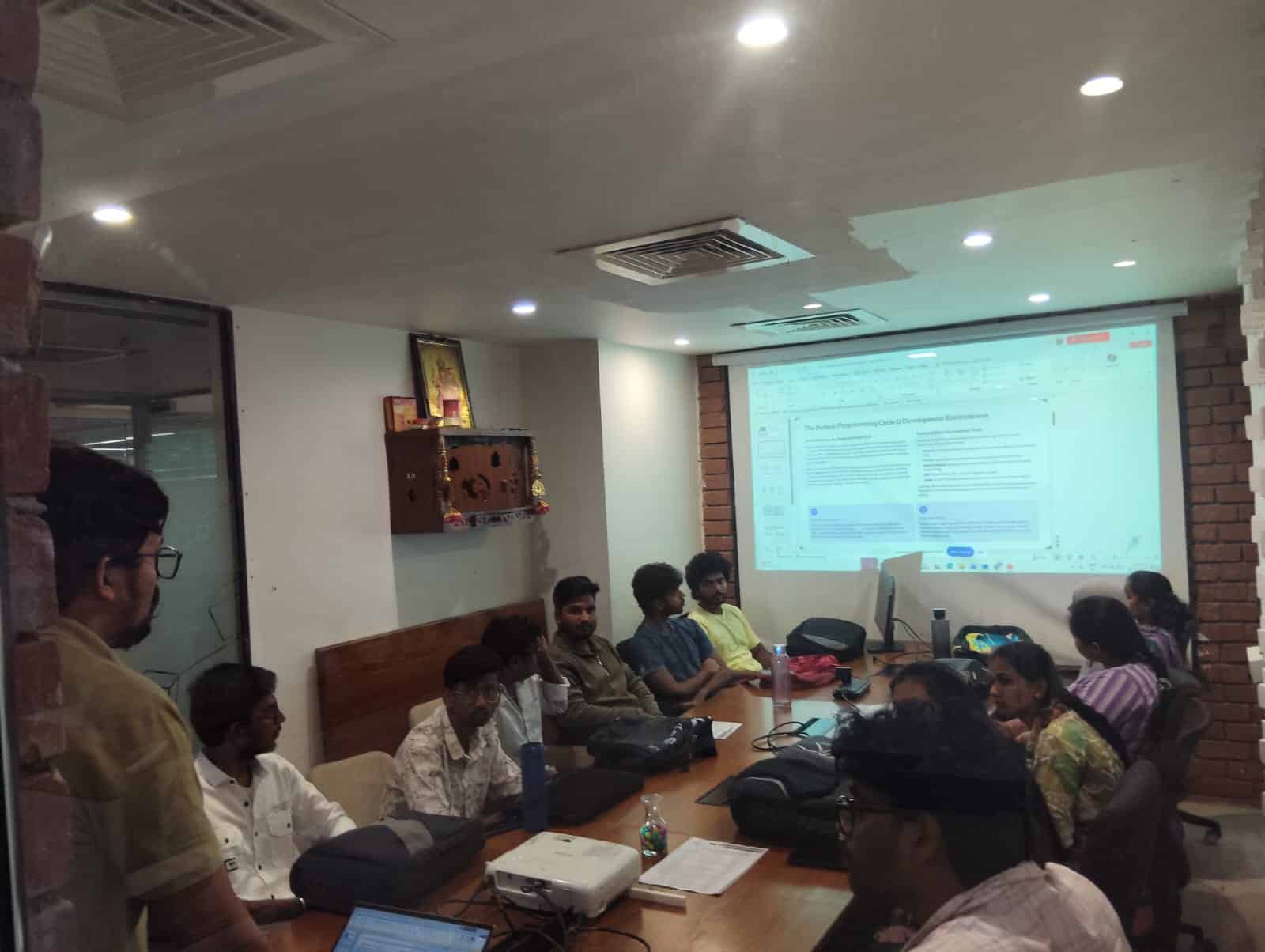

Genuine learner feedback can help prospective students understand the training experience from the perspective of people who attended the program.
“The training was practical and easy to understand. The trainer explained Claude AI concepts clearly and gave us hands-on examples. The practical sessions helped me understand how to use AI tools in real-world tasks.”
“I joined the training to improve my Generative AI skills. The sessions covered prompt engineering, AI workflows and practical use cases. The trainer was supportive and explained the concepts step by step.”
“I liked the practical approach of the training. We worked on different AI use cases instead of only learning theory. The trainer answered our questions patiently and guided us during the practical sessions.”
A transparent training page should give learners enough information to understand what they are joining. Compare the curriculum, practical learning, trainer background, course duration, fee, training format, project work, and support available before making a decision.
Detailed Claude AI curriculum
Practical exercises and projects
Verified trainer information
Clear duration and fee details
Available training formats
Genuine learner feedback
Explore the curriculum or attend a demo to understand the course structure and practical learning approach.
Find answers to common questions about Claude AI training, eligibility, learning requirements, practical projects and career opportunities.
Claude AI training teaches learners how to use Claude for prompt engineering, AI-assisted coding, document analysis, research, content workflows, automation and other practical Generative AI applications.
Students, freshers, working professionals, developers, programmers and professionals planning a career transition into Generative AI can join. The suitable learning path depends on the learner's background and career objective.
Basic computer knowledge is enough to start learning Claude AI for many use cases. Programming knowledge such as Python becomes useful when working with APIs, integrations and AI application development.
Training can cover Claude AI fundamentals, prompt engineering, document analysis, coding assistance, AI workflows, API concepts, automation, integrations and practical Generative AI projects.
Yes. Professionals can use Claude AI for tasks such as research, documentation, content creation, coding assistance, analysis and workplace productivity, depending on their role.
Yes. Freshers can start with Generative AI fundamentals, prompting and practical AI workflows. Building hands-on projects can help demonstrate their skills while preparing for relevant roles.
Practical projects can be included to help learners apply Claude AI concepts to real-world style use cases. The exact projects and curriculum should be confirmed with the training team before enrollment.
Claude AI skills can complement career paths such as Generative AI development, AI application development, AI automation, prompt engineering and other AI-enabled technical roles. Job requirements vary by employer.
Course duration, batch timings and fee can change based on the current training schedule. Contact the training team for the latest course details before enrollment.
Explore the current Claude AI training program, understand the curriculum, batch timings and learning format, and choose a training option that matches your career goals.
Looking to build broader Generative AI skills? Explore our related AI courses and choose a learning path based on your career goals and technical interests.
Learn Generative AI concepts, LLMs, prompt engineering, RAG, AI applications, tools and practical projects.
Learn AI agents, agent workflows, tool integration, multi-agent systems and practical autonomous AI solutions.
Learn effective prompting techniques, structured prompts, AI workflows and practical methods for better AI outputs.